Applying For Jobs
The goal of job seeking is to ultimately become employed. Businesses use applications to track, identify, and review potential candidates for jobs. Applying for jobs can feel like a never-ending process but by using a Master application and having determination you will quicky find that the process will lead to results.
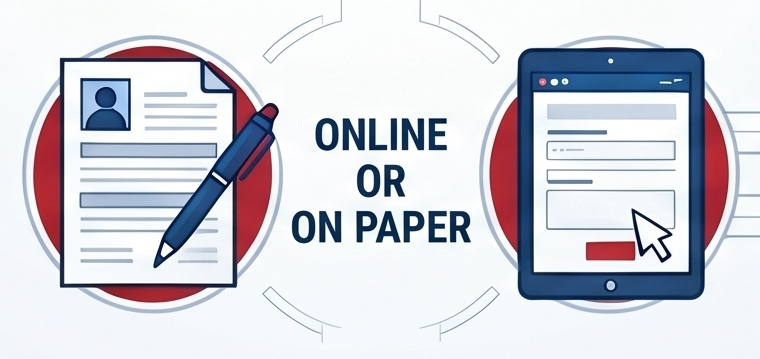
When you find a job that interests you, the next step is to officially apply, which lets the employer know you have the right skills and experience for the role. Job applications can be submitted online or on paper, and they generally require your contact information, educational background, and work history.
To make the application process much smoother and faster, it is highly recommended to create a Master Job Application. This acts as a central document where you store all your details, meaning you won't have to hunt down dates or rewrite your job duties every time you apply.


Essential Contact & Personal Info
Include professional email, reliable phone number, and proof of legal right to work.

Education & Training History
List high schools, colleges, and certifications with dates, locations, and specific areas of study.

Detailed Work History
Record company names, supervisor contacts, specific job duties, and reasons for leaving each role.
Here is what you should prepare for your applications:
- Personal Information: Use a professional-sounding email address and provide a phone number with a professional voicemail greeting. If an application asks if you have ever been fired, be honest but brief. Do not pass blame; instead, explain what happened, emphasize what you learned, and focus on what will be different moving forward.
- Education and Training: List your high school, any college or career technical courses, certificates, and even relevant workshops or conferences you have attended.
- Experience: Work experience is more than just paid jobs; it also includes volunteering, internships, household chores, and school club activities. When describing what you did, be detailed and use "action verbs" (for example, instead of saying "tutored students," say "tutored a rotating group of students... conveying concepts").
- Skills: Review job announcements to see what employers are looking for and list your matching skills. Be sure to include both job-specific skills (like computer programming or using carpentry tools) and transferrable skills (like time management or written communication).
- References: Prepare a list of professional references, such as former employers, teachers, or coworkers, who can speak positively about your employability. It is best to ask for their permission in writing before listing them on an application
Miscellaneous Checklist
Legal/Eligibility
What to include:
Driver’s license number, work permit (if under 18), and US authorization.
Availability
What to include:
Specific days, hours, and the total hours you can work per week.
Leveraging Ohio Resources for Your Applications
Because many employers require you to apply online and communicate via email, having reliable internet and a computer is essential. If you need technology access, remember that OhioMeansJobs (OMJ) Centers are located in every county across the state. You can visit your local OMJ center to use their computers, internet, and printers for free, and they even offer technology training to help you navigate online applications.
Tracking Your Progress
Before you hit "submit," always have someone proofread your application, as typos or incomplete fields can instantly disqualify you. Once submitted, remember to log the position in the job application tracker we discussed earlier. Be sure to record the exact "Application Date," as this will help you calculate the perfect time to send a follow-up email if you haven't heard back from the hiring manager.
Applications - Worksheets
- Application Template - Worksheet
August 21, 2026 - Download